
Google Ads / 9 min read
Google Ads negative keywords for HVAC companies.
"AC repair near me" and "AC repair training near me" look almost identical in a report. Only one is likely to become a booked job. Negative keywords separate the two, and used carelessly they also block the customers you are paying to reach.
The right negative keywords for an HVAC account depend on your services, your coverage and what each campaign is for. Job-seeking and training searches almost always belong outside a campaign selling repairs. Words like "commercial", "parts", "free" and "cheap" are different: most starter lists treat them as automatic exclusions, and for many contractors that blocks real customers.
Use the categories below as a starting point. Then build your actual exclusions from your own search terms and from which enquiries became booked jobs.

How negative match types actually work
This guide covers Search campaigns. Negative keywords behave differently from the keywords you use to reach customers, and the difference catches a lot of people out.
| Negative match type | Example | What it blocks |
|---|---|---|
| Broad | hvac jobs | Searches containing both words, in any order |
| Phrase | "hvac jobs" | Searches containing those words together, in that order |
| Exact | [hvac jobs] | That exact search, with no additional words |
Negatives do not expand to synonyms, or to singular and plural forms, the way your positive keywords do. Add those separately where they matter. Casing and misspellings, according to Google's negative keyword documentation, are handled automatically.
When intent is ambiguous, start narrow. An exact negative removes one unwanted search without blocking every enquiry that happens to share a word with it. Throughout this article, quotation marks mean a phrase negative and square brackets mean an exact negative. Treat every example as a candidate to review, not a file to upload.
DIY and instruction searches
Someone looking for a wiring diagram probably wants to repair the equipment themselves. Someone asking why their furnace keeps shutting off may be one step away from calling a technician. Those are different people.
| Candidate negative | Likely intent |
|---|---|
| "diy" | Doing the work personally |
| "do it yourself" | Self-repair instructions |
| "wiring diagram" | Technical reference |
| "service manual" | Equipment documentation |
| "repair tutorial" | Instructional content |
| "repair course" | Training |
| "how to become" | Career research |
| [how to replace an ac capacitor] | One specific self-repair task |
Do not exclude broad words like how, why, problem or troubleshooting. "How much does furnace repair cost" is often a valuable enquiry. "Why is my AC blowing warm air" frequently comes from someone who has already decided they need help. Exclude clear instructional intent first, and judge symptom searches by the enquiries they actually produce.

Job seekers, training and qualifications
Recruitment traffic is almost always irrelevant to a campaign selling repairs or installations, which makes this the safest category to exclude.
| Candidate negatives | Category |
|---|---|
| "hvac jobs", "hvac job" | Employment |
| "hvac careers", "hvac career" | Career research |
| "hvac salary", "technician salary" | Pay research |
| "hvac apprenticeship" | Apprenticeships |
| "hvac training", "hvac school" | Education |
| "hvac certification", "practice exam" | Qualifications |
| "resume", "interview questions" | Job applications |
Keep these out of any recruitment campaign you run. And be careful with single words: excluding training on its own can block searches for a company whose name contains it, and excluding certified could remove customers who are specifically looking for a qualified contractor. The longer phrase usually captures the unwanted intent more precisely.
Parts, equipment and refrigerant
"Parts" is not an automatic negative. If you sell components over the counter or run an online shop, parts searches may be exactly what you want. Even a service-only contractor needs to tell apart someone buying a component from someone paying to have it fitted.
| Candidate negative | Consider excluding when |
|---|---|
| "parts wholesale" | You do not supply trade buyers |
| "wholesale refrigerant" | You do not sell refrigerant |
| "refrigerant cylinder" | Cylinder purchases are outside your offer |
| "refrigerant for sale" | You sell servicing, not supplies |
| "buy ac capacitor" | You do not sell components directly |
| "used hvac equipment" | You do not sell used equipment |
| "furnace parts for sale" | You do not run a parts business |
Do not block refrigerant on its own just because you do not sell it by the cylinder. Someone searching "AC refrigerant leak repair" needs exactly your service. "Furnace blower motor replacement" describes a paid repair, not a shopping trip. Read the whole search before deciding.

Commercial and specialist work
Commercial searches are only unsuitable if the business, or the specific campaign, does not do that work. A residential-only contractor might consider:
| Candidate negative | The service boundary |
|---|---|
| "commercial hvac" | No commercial HVAC work |
| "industrial ventilation" | No industrial ventilation |
| "chiller repair" | No chiller servicing |
| "walk in freezer" | No commercial refrigeration |
| "restaurant refrigeration" | No restaurant work |
| "rooftop unit repair" | No rooftop units |
| "building management system" | No building controls |
Confirm these boundaries with whoever schedules and prices jobs, because the website does not always reflect what the company actually takes on. If you serve both homes and commercial premises, run them as separate campaigns and apply exclusions to the right one, rather than blocking commercial demand across the whole account.
An equipment type is not a customer type, either. "Heat pump" tells you nothing about whether the job is residential or commercial.
Cheap, free and price-sensitive searches
This is the category where an aggressive list gets expensive. A homeowner looking for an affordable repair is still a customer, and someone asking for a free replacement estimate may be responding to the offer on your own website.
| Search to review | The decision |
|---|---|
| [free air conditioner] | Are they after donated equipment rather than installation? |
| [free furnace] | Is this outside your services or any programme you take part in? |
| "free hvac training" | Usually irrelevant to service work |
| "free repair manual" | Usually documentation-seeking |
| [cheap used air conditioner] | Do you sell used units? |
| "free estimate" | Keep it if you offer one |
| "financing" | Keep it if you offer financing |
Do not automatically exclude cost, price, quote, affordable or cheap. If price-sensitive enquiries keep failing to book, look at the whole journey. Your ad may be setting the wrong expectation, or your landing page may need to be clearer about diagnostic charges. A negative keyword cannot fix a misleading offer.
Areas you do not serve
Place-name negatives help when a search explicitly asks for work outside your coverage. They are not a substitute for getting your location targeting right.
Start with your targeted locations, exclusions and location options. Google's default setting can show ads to people who are merely interested in your area rather than located in it, and its location documentation explains how to switch to "Presence" instead. Our guide to why Google Ads show outside your service area walks through it. Presence is not perfect, and it can miss legitimate owners managing a property from elsewhere, so choose it deliberately.
For keyword exclusions, work from real searches in your account. If a query asks for AC repair in a town you do not cover, exclude that specific query or a carefully chosen phrase. Watch for place names that double as brand names, surnames or names shared by several towns, because a single-word exclusion can block far more than you meant to.
And ask for the service ZIP code when you qualify the enquiry. The wording of a search cannot tell you where the equipment actually is.
Building the list from your own search terms
A generic list anticipates problems. Your search terms report shows the problems your campaigns are actually having.
Open the report and choose a useful period
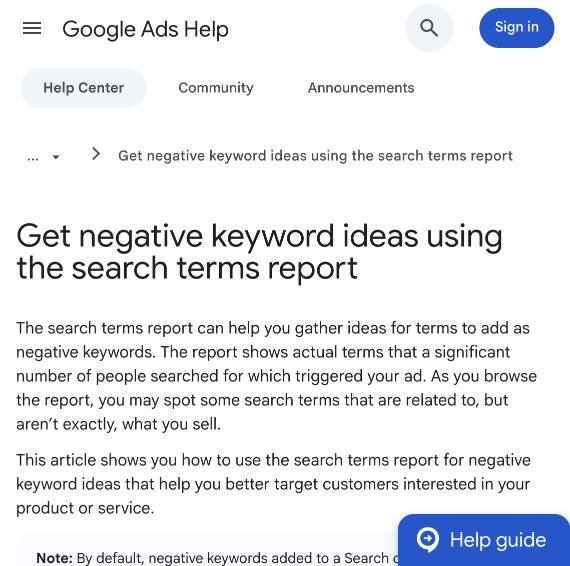
In Google Ads, go to Campaigns, then Insights and reports, then Search terms. Review each service campaign separately, with clicks, cost, conversions and the triggering keyword where available. The report does not show every query: some low-volume searches are withheld for privacy, as Google's documentation of the report explains. Treat it as strong evidence, not a complete record.
Classify intent before judging performance
| Decision | Example | Action |
|---|---|---|
| Clearly irrelevant | "HVAC technician salary" | Exclude |
| Relevant | "emergency furnace repair" | Keep and assess outcomes |
| Ambiguous | "AC capacitor replacement" | Investigate |
| Relevant elsewhere | A commercial enquiry in a residential campaign | Fix the campaign routing |
Do not turn every search without a conversion into a negative. A relevant term with a handful of clicks has not failed yet.
Check what happened after the enquiry
Compare search activity with qualified calls, booked jobs and completed work. Where you cannot attribute outcomes to individual queries, review the campaign or intent category alongside call outcomes rather than pretending every booking traces back to a visible search term.
Wasted spend also comes from missed calls, unavailable appointments and slow follow-up. Excluding relevant searches fixes none of those. Our conversion tracking guide covers how to tell them apart.
Choose the smallest exclusion that works
If an unwanted pattern is clear, one phrase negative may cover several variations. If only one query is unsuitable, use exact match. Note that negatives added straight from the search terms report are added as exact match by default, per Google's instructions, so check the match type and the level you are adding it to before saving.
Apply it where it belongs
Use campaign-level exclusions for service boundaries, and keep shared negative lists for exclusions that are genuinely unwanted everywhere. "Commercial" rarely qualifies for an account-wide list if the company has a commercial division. Record the date, the reason and the campaigns affected, so the next person to open the account understands the decision.
Measure whether qualified bookings and cost per booked job improve, not whether your negative list gets longer. A long list built carelessly is how an account quietly stops reaching customers.
Review the list whenever the business changes: new services, wider coverage, a financing offer, a recruitment campaign. And before you raise the budget, make sure the current spend is reaching the right searches first. Our guide to how much to spend on Google Ads covers the wider budget decision, and our Google Ads management runs this review as routine work.