
Google Ads / 8 min read
Why your Google Ads show outside your service area.
You serve one county. You selected that county in Google Ads. Enquiries still arrive from people hours away. Before you build a long exclusion list or blame your keywords, check one setting, because Google's default is probably not the one you assumed.
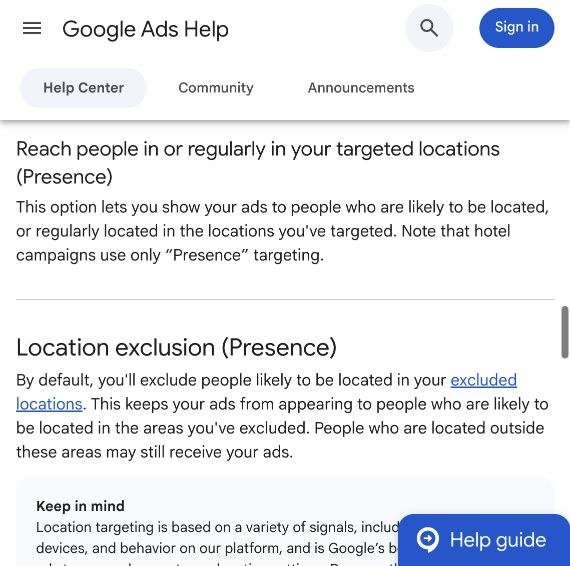
Google Ads location targeting defaults to "Presence or interest", which can reach people outside the area you selected if they have shown interest in it. For a contractor serving a limited territory, "Presence" is usually the better starting point.
And despite what you may have read, Presence is still available. Google did change its location options, but not that one.

Presence vs Presence or interest
Selecting an area tells Google which geography matters. The location option decides how a person qualifies for that geography, and that is the part most advertisers never open.
| Setting | Who can qualify | In practice |
|---|---|---|
| Presence or interest (default) | People likely to be in, regularly in, or interested in your selected area | Someone elsewhere can qualify through interest |
| Presence | People likely to be in or regularly in your selected area | A narrower starting point for local service campaigns |
Both are current options, described in Google's advanced location documentation.
Picture a contractor serving one Tennessee county. Someone in Chicago searches for that service in that county while arranging repairs on a rental property they own there. Interest-based targeting makes them eligible to see the ad.
That enquiry could be valuable, because the property is in the contractor's territory. If the same person actually wanted the work done in Chicago, it is wasted. The location of the job matters more than the location of the person enquiring, and that distinction is worth holding onto before you label every distant click as waste.

Did Google remove Presence targeting?
No. The confusion comes from two different changes, which a lot of advice online has merged into one:
- "Search interest" targeting was removed for Search, Display and Shopping campaigns.
- "Presence or interest" exclusions were removed for Search, Display, Performance Max and Shopping campaigns.
Presence targeting is untouched. The discontinued settings are the old interest-only targeting option and interest-based exclusions, and the migration FAQ on the same Google page lists them specifically. If you have read that every Search advertiser now has to use Presence or interest, that reading is wrong.
How to switch a campaign to Presence
For a standard Search campaign:
- Open the campaign in Google Ads.
- Go to Settings and find Locations.
- Expand Location options.
- Under Target, select Presence: People in or regularly in your targeted locations.
- Save.
Google recommends exactly this check when you are troubleshooting clicks from outside your targeted area, in its guide to preventing clicks outside your locations.
Repeat it for every relevant campaign. One campaign being set correctly says nothing about the others. While you are in there, look at the locations themselves: an accidentally selected country, a radius that grew over time, or a territory you stopped covering two years ago.
Write down the date of the change. You will need it to compare enquiry quality before and after.
Why out-of-area enquiries still happen
Presence removes one source of unwanted reach. It does not draw a precise fence around your customers.
"Regularly in" is broader than "standing here now"
Someone may work in your area and live outside it. They have a genuine connection to the place you targeted and still want work done at an address you do not cover. Ask for the job ZIP code or address early in the booking process.
Location signals are imperfect
Google estimates location from signals such as IP addresses and device location, and those can be incomplete or wrong. Google's own documentation says plainly that 100% accuracy is not guaranteed, and that ads may also reach people in nearby, closely related areas, such as the suburbs around a targeted city. An occasional distant enquiry does not prove the setting failed.
Your target may not match your working territory
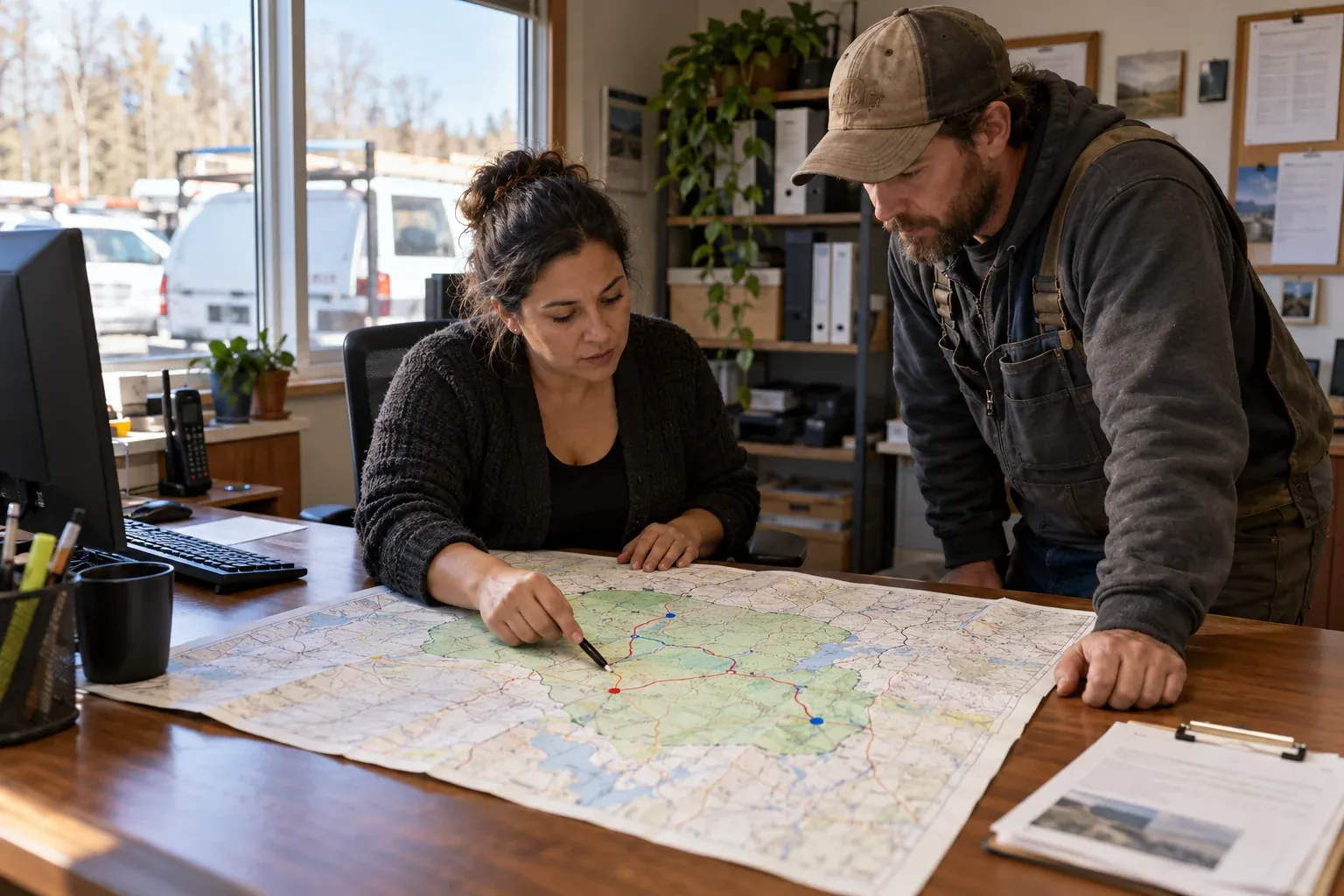
A radius is a circle. Your real service area follows roads, county lines and drive times. Somewhere that looks close on the map can be an uneconomical trip in practice, so check targeting against where you actually work, not a circle drawn around the office.
The enquiry may not have come from an ad at all
Customers find you through organic search, Maps, referrals and old saved links. Before changing ad settings, confirm which campaign or channel produced the enquiry. A distant visitor in your website analytics is not automatically a paid click.
Checking where your ads actually reach
Google Ads location reporting has two views, and the difference matters. Targeted locations shows performance for the areas you selected. Matched locations shows the locations that matched your ads, which can be a person's physical location or a location they showed interest in. A matched location is therefore not proof of where somebody was standing. Google's reporting guide explains both.
Read those reports alongside your own enquiry records:
| Evidence | What it establishes |
|---|---|
| Campaign and enquiry source | Whether the enquiry came from the campaign you are investigating |
| Requested service address | Whether you could actually do the work |
| Qualified or rejected status | Whether the enquiry was commercially suitable |
| Booking outcome | Whether it became a job |
| Rejection reason | Whether geography was really the problem |
Do not treat a phone area code as proof of the service address; people keep their numbers when they move. For repeated problems, keep examples with dates, campaign names and requested ZIP codes. That gives you something concrete to investigate, or to hand to Google support.
Should you exclude every surrounding area?
Start with the right targets and the right location option. Then add exclusions where they serve a clear purpose, such as a neighbouring county you consistently decline because of travel time.
Avoid building a huge exclusion list without checking what it does. Exclusions restrict who sees your ads; they are not a list of addresses where you refuse to work. Someone outside your territory may own a property inside it, and excluding where they are can remove a worthwhile job.
Negative keywords solve a different problem. Excluding searches that explicitly ask for work in a town you do not serve helps, but it does not determine where the searcher is and it does not replace geographic targeting. Our guide to negative keywords for HVAC companies covers how to do that without blocking customers.
Be clear about coverage in your ads and on your landing page too. A plain list of the towns you serve helps people decide whether to enquire at all.
When broader targeting is worth it
Presence or interest can make sense when customers regularly buy from somewhere else: owners arranging repairs remotely, people booking work before they move in, businesses buying for another branch.
If those customers matter to you, test broader reach on purpose, ideally in a separate campaign with messaging written for them and a service-address question in the booking flow. Judge it on qualified bookings and cost per booked job. A higher enquiry count is not a win if the office spends its day explaining that you cannot help.
For an emergency contractor whose customers and jobs are almost always local, Presence remains the sensible default.
Measuring the change properly
After adjusting targeting, compare similar periods and allow for the normal delay between enquiry and booking. Track the share of enquiries from outside your territory, qualified bookings, cost per booked job, and the staff time spent turning down work you cannot do.
Fewer clicks after switching to Presence is expected. It is good if it removed demand you could never serve, and bad if bookable jobs disappeared with it. Only your booking records can tell you which happened.
Location targeting is part of our Google Ads management because a campaign has to reflect the territory a business can actually serve. Organic visibility needs the same clarity, which is what our local SEO work focuses on.
Check the location option first. Then check the service addresses behind your enquiries. Between them, they tell you whether your advertising is reaching customers you can help.