
AI Search / Measurement / 7 min read
How to measure AI search traffic: Search Console and GA4.
To track ChatGPT traffic in GA4, inspect your session sources and create a custom channel for recognised AI assistants. To measure visibility in Google's AI Overviews and AI Mode, use Search Console's Generative AI performance report. Neither tells you every time an AI recommendation influenced a customer, so you need a third source: what customers tell you.
The aim is a report where every number has a clear definition, and where missing information stays missing instead of turning into an invented attribution claim.
Start with three separate measurements
| Measurement | Where to find it | What it tells you |
|---|---|---|
| Google AI visibility | Search Console | Whether links to your site appeared in Google's AI features |
| Identifiable AI visits | GA4 | Sessions with a recognised AI source |
| Customer-reported AI discovery | Enquiry form or CRM | Whether a customer remembers finding you through an assistant |
Keep these side by side. They are not three parts of a total you can safely add together. One customer could see your business in an AI answer, click through to your website and mention ChatGPT on your form: one customer, three pieces of evidence.
How to read the AI Overviews report in Search Console
Google's Generative AI performance report (Search) covers AI Overviews and AI Mode. Google's documentation says it had rolled out to all websites worldwide by 31 August 2026.
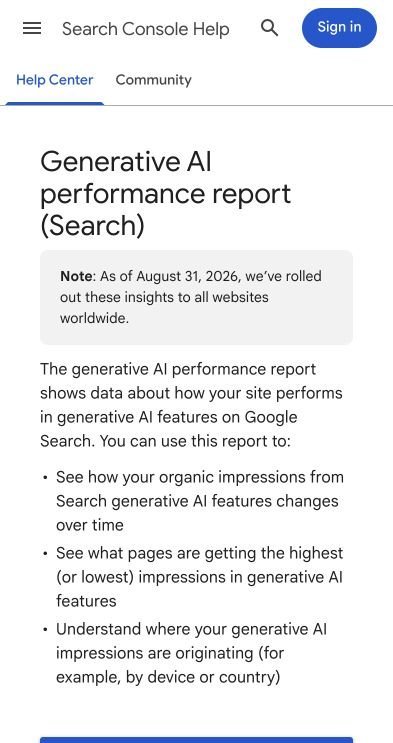
The report shows impressions only: no clicks, queries, click-through rate or average position. You can break it down by page, country, device and date. An impression records that a link to your site was shown, not that anyone visited.
- Open the Search Console property and the Generative AI performance report.
- Choose a date range.
- Review the trend and the pages receiving impressions.
- Compare countries and devices with your intended audience.
If the report is empty, Google says the usual reason is that your site has not had enough impressions in AI features. Also check that you have not excluded your site using the Search generative AI control.
Do not add these impressions to your main total
They are already included in the Web search type of the main Performance report. If your overall report shows 10,000 impressions, of which 2,000 came from AI features, that is still 10,000, not 12,000.
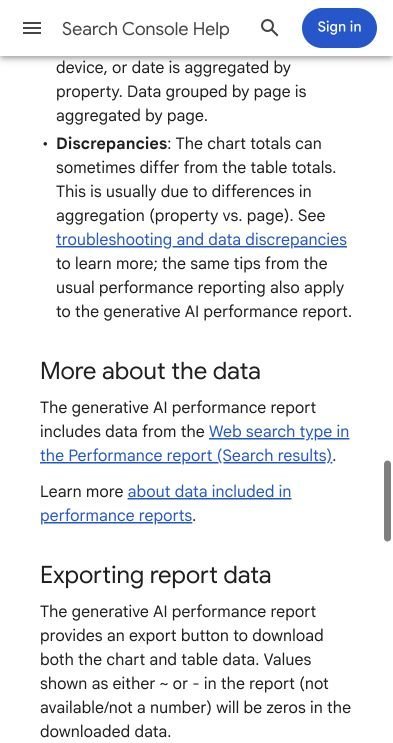
Chart totals and page-row totals can also differ, because Google aggregates by property and by page differently. Use the report to investigate visibility. A rise is a reason to look at the affected pages and the enquiries that followed, not proof that enquiries increased.
First, find AI traffic already recorded in GA4
Open Reports → Acquisition → Traffic acquisition and select Session source / medium. Search for chatgpt, then for perplexity, claude and gemini.
Use session dimensions for this. Traffic acquisition describes where sessions came from; User acquisition describes how users were first acquired. Those answer different questions.
Links in ChatGPT's answers have carried utm_source=chatgpt.com, which helps identify those visits when the parameter survives to your analytics. The OpenAI publisher page that described this has since been retired, so check the actual values in your own data before building rules, and do not assume every identifiable AI visit has the medium referral.
Create an AI assistants custom channel group
You need Editor access or above on the property.
- Go to Admin → Data display → Channel groups.
- Select Create new channel group and name it Acquisition including AI.
- Add a channel named AI assistants.
- Add a condition: Source, matches regex, and paste the expression below.
- Save the channel, then reorder it above Referral, and above any other channel that would otherwise match those sources.
- Save the group.
GA4 puts traffic in the first channel whose definition it matches, which is why the order matters. Google's own custom channel group documentation uses an AI assistants channel placed above Referrals as its example. Custom groups apply to your reports retroactively, but they cannot recover source information that was never collected. To see the results, choose the session-scoped version of your group in Traffic acquisition.
A focused starting regex
^([a-z0-9-]+\.)*(chatgpt\.com|chat\.openai\.com|perplexity\.ai|claude\.ai|gemini\.google\.com|bard\.google\.com)$
This matches the named domains and their subdomains, including the older ChatGPT and Bard addresses. It deliberately avoids broad patterns such as .*ai.*, which catch unrelated source names. The escaped dots are literal dots, and the anchors make the rule match the whole source value (see Google's regex guide).
Treat it as a list you maintain, not a permanent definition of every AI platform, and add other verified sources as they appear in your data. Do not add google to capture AI Overviews: that would classify all ordinary Google traffic as AI.
Check the classification before relying on it
Compare the AI channel with its underlying Session source / medium rows. Look for recognised domains missing from the rule, unrelated sources included by accident, tagged visits with unexpected medium values, and paid campaigns that should stay separately identifiable.
Record the date and the rule whenever you change the definition. A jump caused by adding a source is not the same as a genuine increase in visits.
Why some AI-influenced visits appear as Direct
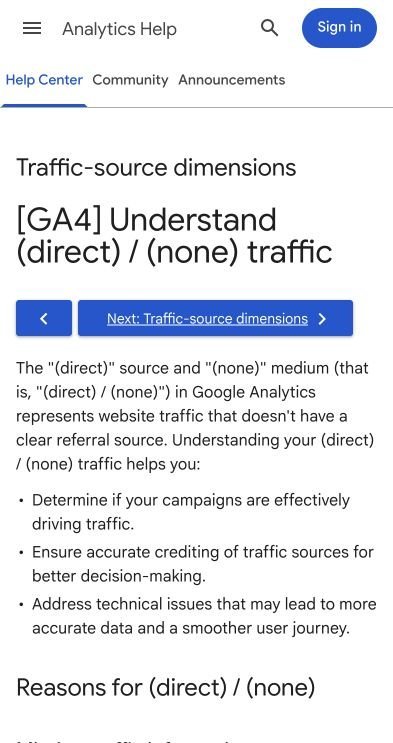
GA4 records traffic as (direct) / (none) when it has no clear referral source, for example when links lack campaign tags, when redirects strip parameters, or when someone types your address. Direct is not proof that someone already knew your business.
| Customer action | What analytics may record |
|---|---|
| Clicks an assistant's link with source information intact | An AI source |
| Copies an untagged address and opens it separately | Direct |
| Reads a recommendation, then searches your business name on Google | Google organic |
| Calls the number shown in an answer without visiting your website | No website session |
There is no defensible universal percentage you can apply to Direct and label "hidden AI traffic". Some AI influence is unidentifiable; that does not make unexplained traffic attributable to AI. And a visit analytics never recorded, because of consent choices or blockers, does not show up in Direct at all. A channel rule organises the information you have. It cannot recreate a missing journey.
Add the question analytics cannot answer
Put this on your enquiry form, and use the same wording on the phone:
Google Search or Maps · ChatGPT or another AI assistant · Social media · Recommended by someone · Existing customer · Other · Not sure
Leave it unselected by default and easy to skip, so people are not pushed into guessing. If someone picks the AI option, offer a short follow-up: Which assistant did you use?
Store the answer with the enquiry in your CRM, separate from the automatically recorded source:
| Field | Recorded value |
|---|---|
| Analytics session source | Google organic |
| Customer-reported discovery | ChatGPT |
| Enquiry outcome | Installation survey booked |
Both records can be accurate: one describes the measured visit, the other the customer's memory of how they found you. Self-reporting is imperfect too, because people forget, simplify or mix up platforms. Its value is that it adds evidence a browser session cannot, not that it is flawless.
Report enquiries and outcomes without counting them twice
| Metric | Reporting label |
|---|---|
| Search Console AI impressions | Google AI visibility |
| GA4 sessions matching your source rule | Identifiable AI-assistant sessions |
| Valid enquiries from those sessions | Measured AI-source enquiries |
| Enquiries naming an AI assistant on the form | Self-reported AI discovery |
| Completed jobs linked to either source of evidence | Deduplicated jobs with recorded AI involvement |
Deduplicate in your CRM before reporting a combined figure. If five measured AI-source enquiries and four self-reported ones include two of the same people, that is seven unique enquiries, not nine. (An illustration, not a benchmark.)
Keep the unknowns visible, and avoid calling every associated job "caused by AI": the records show involvement, not what would have happened without that channel. Before trusting any outcome figure, make sure your forms, calls and bookings represent genuine enquiries; our conversion tracking problems guide covers that separately.
Start with a source report, a carefully checked channel rule and one neutral form question. Together they give you a far more useful view of AI discovery, without pretending to measure what you cannot. If you are deciding whether to stay in Google's AI features at all, read should you opt out of AI Overviews?